
From the first tap to the last.
Staff clock in from the phone in their pocket. Managers see the day fill in live. HR gets the month-end file without retyping a thing. And you can be running by tomorrow.
Day one
Live in a day. Really.
Most companies send us a spreadsheet in the morning and clock in the next day. Here is everything that happens in between.
Send us your staff list
An Excel sheet with names, emails and departments is enough. We import it, and everyone gets a personal link to set their password.
Set your hours and rules
Working days, start and end times, grace minutes, public holidays, leave types and who approves whom. Each team can have its own hours.
Tell us where people work
Add your office internet address, so clock-ins are checked against it. Site crews can be checked by work site location instead (in pilot).
Go live, with an hour of training
We walk your admins through the screens in an hour. Staff need no training: there is one big button, and Alfie explains the rest.
Clocking in
Three ways to clock in. One button.
Staff always tap the same button. What changes is how AlftekOne checks it, and you choose that per person.
Office network
The app checks that the clock-in came from your office internet connection. Clock-ins from elsewhere are flagged, or blocked if you prefer.
Best for Offices, clinics, schools, branches
Work site locationIn pilot
For crews who never sit on the office network. The phone sends one location reading at the tap, and it must fall inside one of their sites. Nothing is tracked in between.
Best for Construction, MEP, facilities, field teams
Remote, with a reason
People who work from home or travel can be exempted one by one. Their clock-ins are still recorded with the time, and every exemption is in the audit log.
Best for Remote staff, sales on the road
A working day, from the first tap to the last.
Six moments from a day with AlftekOne. The screens are the real app, filled with sample data.
- 08:52
One tap, and they are in.
Staff open AlftekOne in any browser and tap Clock in. If the office network is required, the app checks it and says so plainly.
ALFIE · 08:52Clocked in at 08:52. Right on time, Priya. You’re a star!
- 09:15
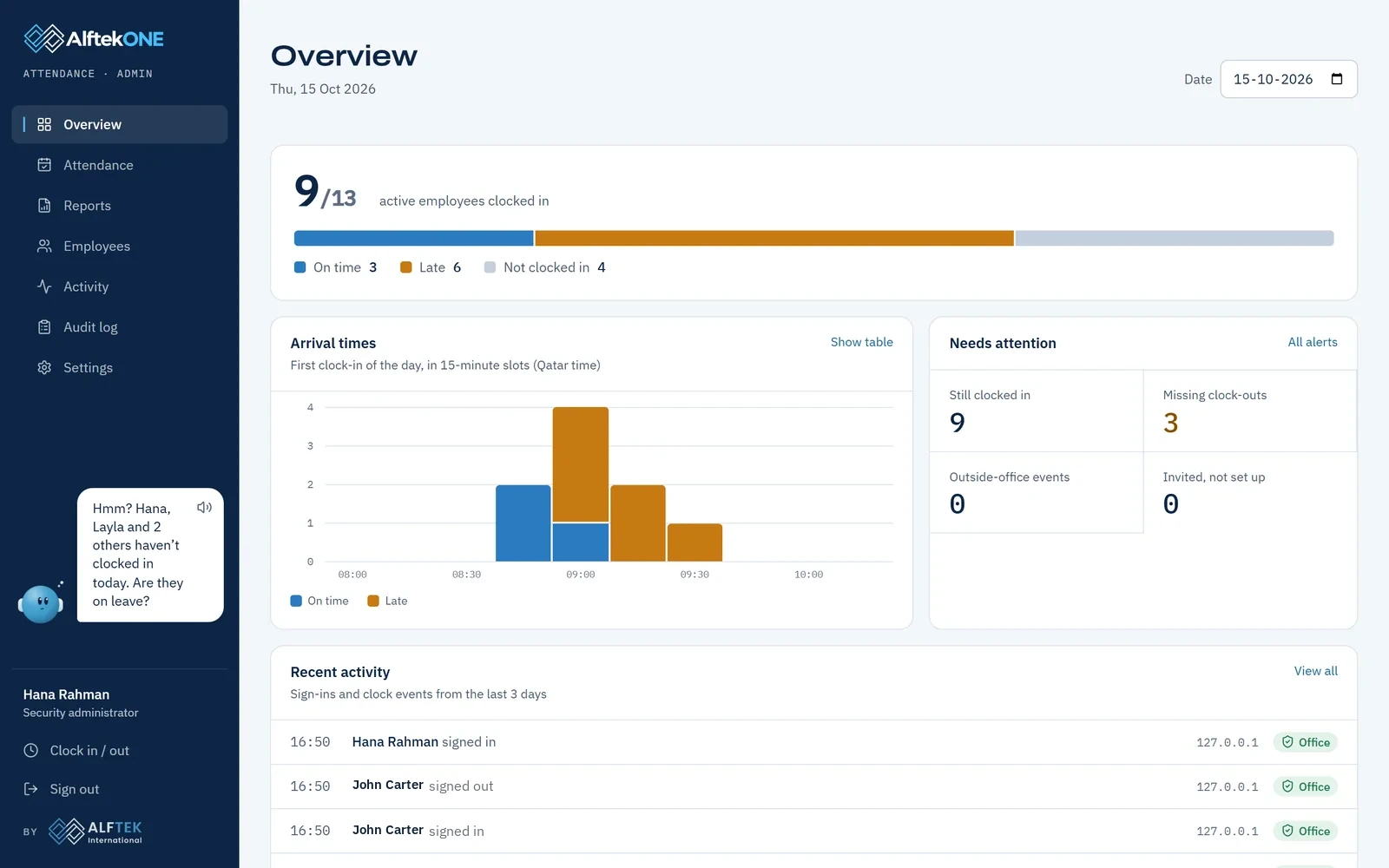
Who is in, who is late, who hasn’t arrived.
The overview fills in live as people arrive. Late arrivals follow your grace minutes, and the arrival chart shows how the morning went.
ALFIE · 09:15Hmm? Layla and 2 others haven’t clocked in today. Are they on leave?
- 12:30
Leave asked for, and decided, in a minute.
Employees request annual, sick or casual leave from their phone. Their manager approves with one tap, and the balances update for everyone.
- 15:00
The QID that expires in 9 days.
Passports, visas, QIDs and contracts live in one private folder per person. HR hears about expiry dates weeks before they turn into fines.
ALFIE · 15:00Heads up! John’s QID expires in 9 days. Shall I remind him?
- 17:55
Knock, knock.
Five minutes before the day ends, Alfie knocks so nobody forgets to clock out. Missed clock-outs are flagged, and fixes always need a reason.
ALFIE · 17:55Knock knock! It’s nearly 18:00. Don’t forget to clock out!
- 18:00
The day, summed up.
Managers get an evening summary, and month-end reports export to Excel or straight into payroll. In the Gulf, AlftekOne writes the WPS salary file.
What managers and HR see.
Real screens from the app, filled with sample data.
Today, live
Who is in, who is late and who hasn’t arrived, with the arrival chart for the morning.
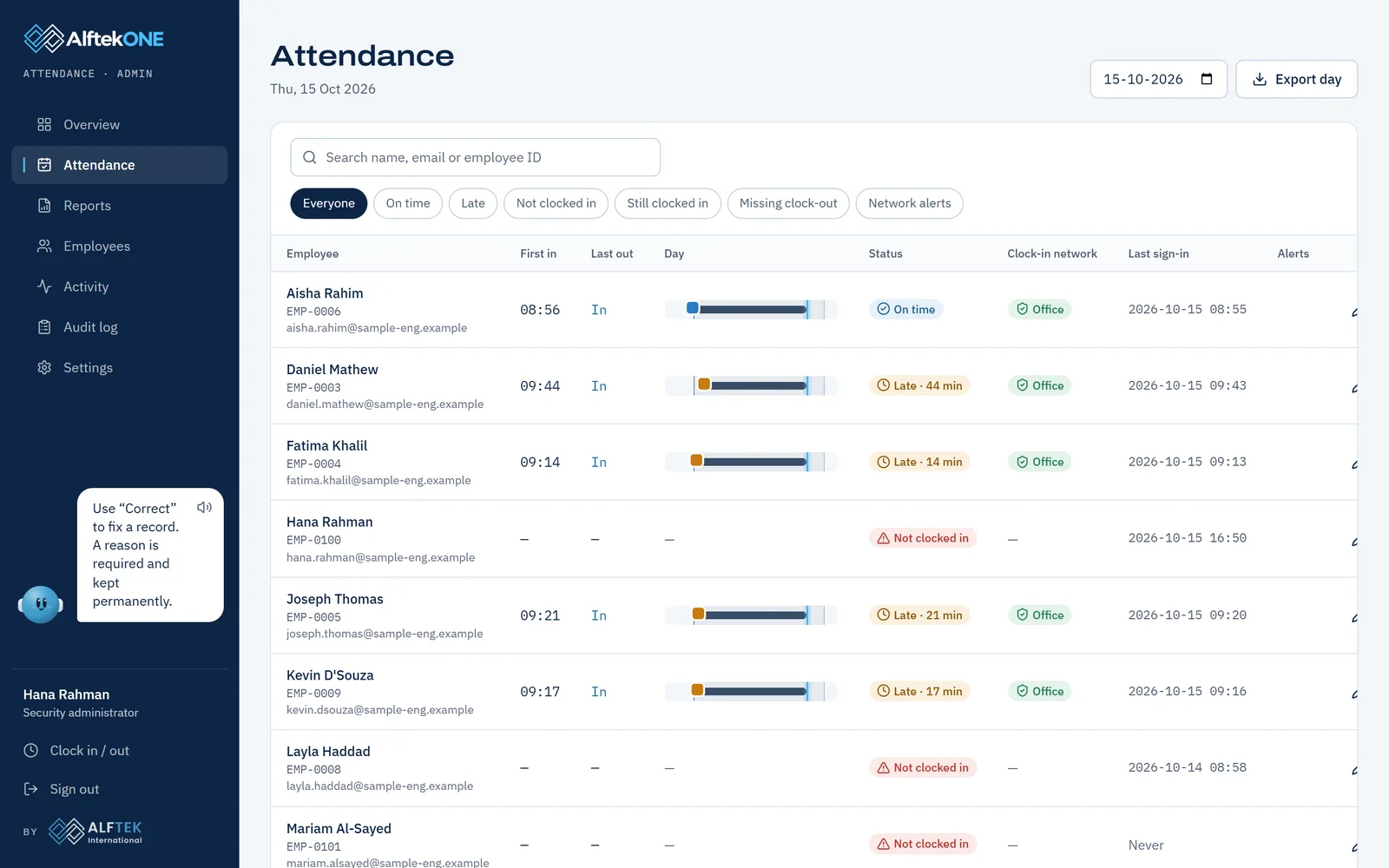
Every person’s day
First in, last out, the day as a bar, status and how each clock-in was checked.
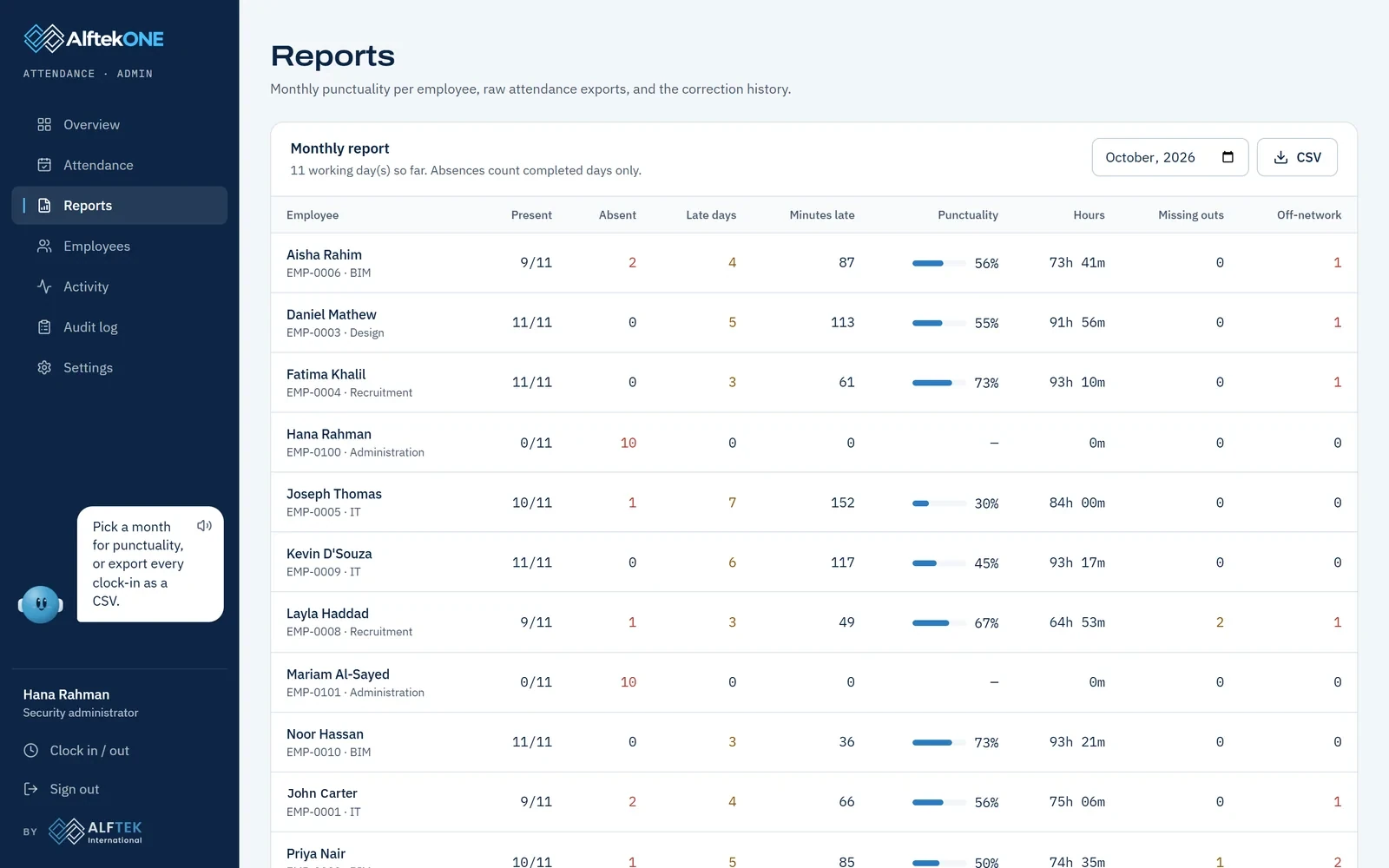
The month, added up
Days present, lateness, hours and punctuality per person, ready for payroll.
What staff see
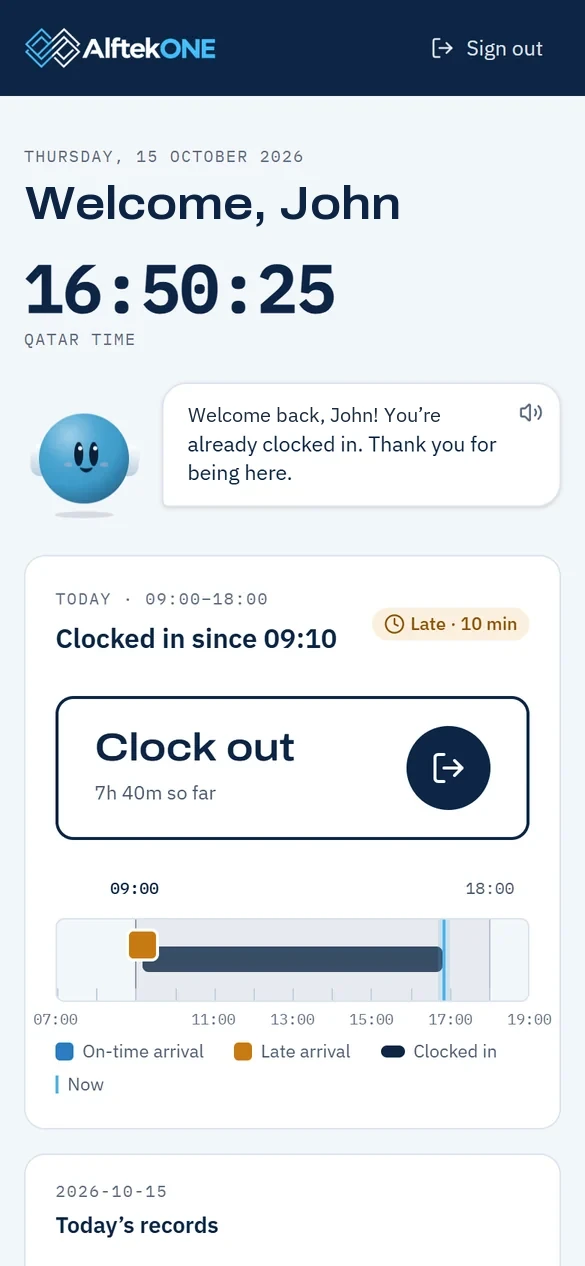
A big clock, one button and Alfie. In English, Arabic, French, German or Spanish.
Before you clock out, book a demo.
We will show you AlftekOne running a sample company of 115 people, from the morning clock-in to the month-end file. It takes 20 minutes.
Prefer to talk? WhatsApp +91 95387 95895Or write to faizan@alftek.comWant the overview first? See how it works
Clocked in. Thank you!
Thank you. We will reply within one working day with demo times.