
One tap. Three quiet checks.
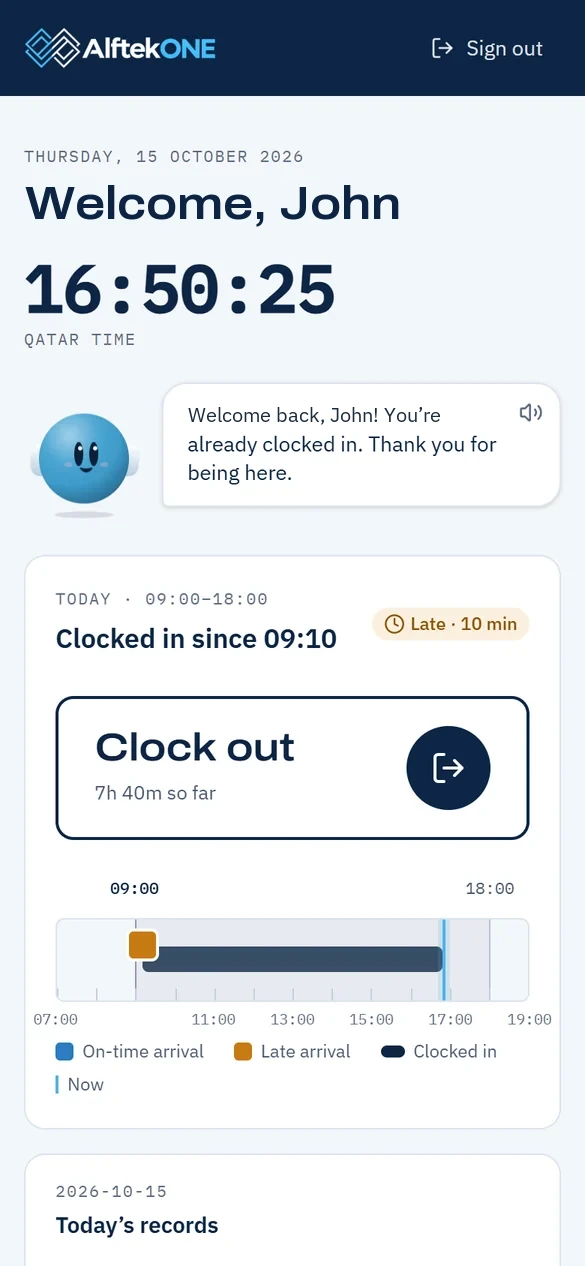
Staff clock in from any phone or computer. AlftekOne checks the office network, the work site and your rules in the same second, and asks for a reason when something is off.
Minute · Clock in
One tap, three quiet checks.
The button is the same for everyone. What AlftekOne checks behind it is up to you, person by person.
- Office network: flag or block, and ask for a reason
- Work site by location, read only at the tap (in pilot)
- Your start time, grace minutes and working days
Rules · only AlftekOne
Every rule explains itself.
Ask “Why?” on any day, balance or deduction and get the steps, tied to the handbook clause they come from.
- Rules read from your live settings
- Each answer cites the handbook section
- See who a rule change affects before you apply it
What’s included
Everything in the first minute of the day.
Clock in and out
From any phone or computer browser. Nothing to install.
Office network check
Clock-ins from outside the office are flagged or blocked, and people give a reason.
Site clock-inIn pilot
Crews clock in at the work site; the location is read only at the tap.
Working hours
By person, department or company, with grace minutes and lateness rules.
Missed clock-outs
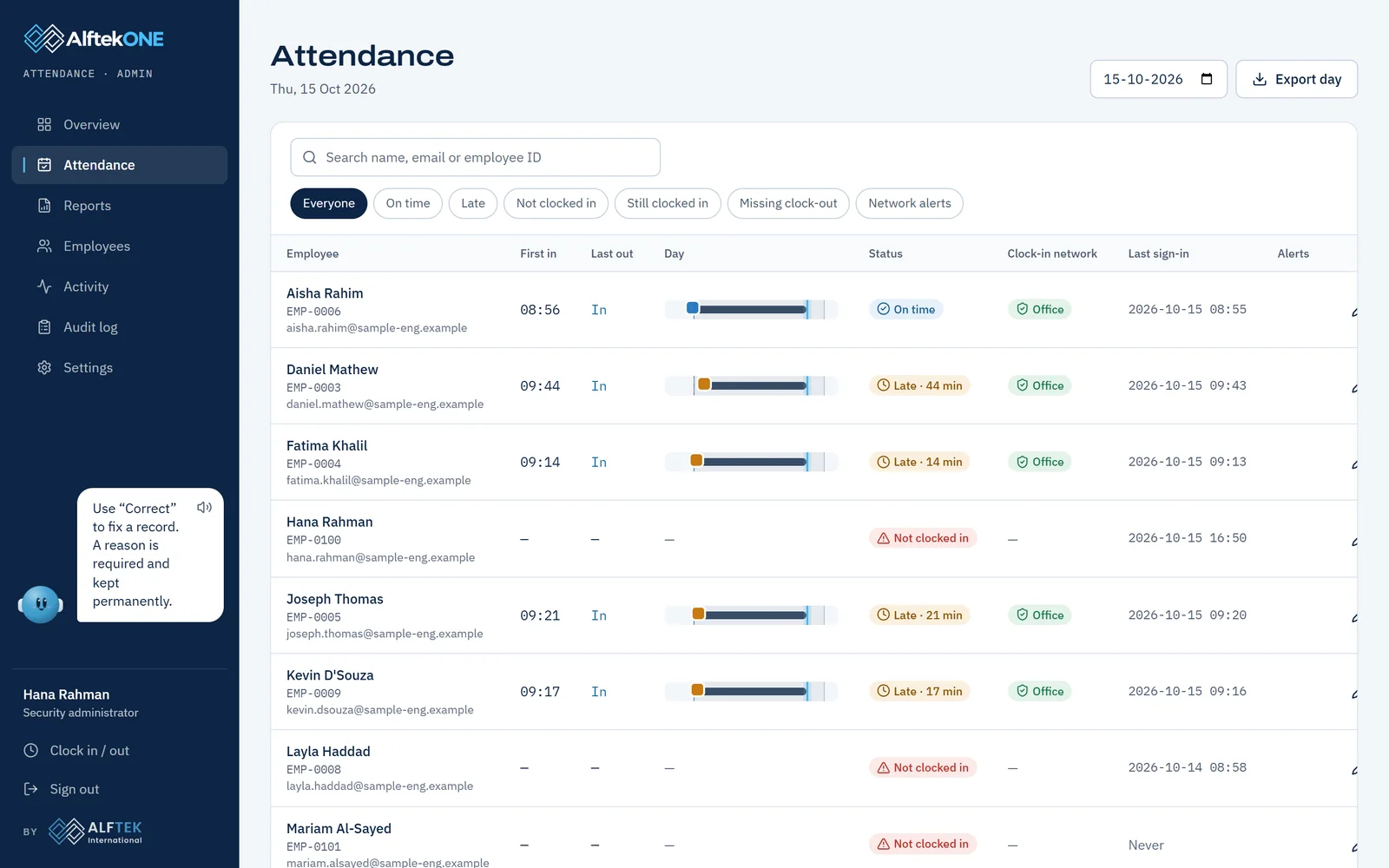
Open sessions and missed clock-outs are flagged on their own.
Corrections with reasons
Every fix needs a reason and stays in the audit log.
Holidays and calendars
Public holidays, working days and a calendar for each person.
Reports and exports
A live dashboard, monthly reports, Excel and CSV.
Alerts by email
Late arrivals, no-shows and a daily summary for managers.
Real screens, sample data

Site crews clock in where they work.
For contractors and facilities teams: each person clocks in at their site, and hours add up per site for billing.
Photo: Unsplash.
Before you clock out, book a demo.
We will show you AlftekOne running a sample company of 115 people, from the morning clock-in to the month-end file. It takes 20 minutes.
Prefer to talk? Call us in Doha on +974 7197 1945, or WhatsApp +91 95387 95895Or write to faizan@alftek.comWant the overview first? See how it works
Clocked in. Thank you!
Thank you. We will reply within one working day with demo times.